43 Inch Commercial POP Kiosk: Integrator Guide to Project Specification
A point-of-purchase kiosk looks simple on a floor plan: one screen, one base, one power outlet. Integrators know the real work is in the specification — whether the unit survives an eight-hour trading day, whether content updates happen without a technician on site, and whether the enclosure matches the retailer's fixture line. This guide walks through how to specify the 43 Inch Commercial POP Kiosk for a live deployment, from panel and compute choices to siting limits, power, and the questions worth settling before an order is placed.
What the 43 Inch Commercial POP Kiosk Is Built For
The SH4303LAD-A133 is a free-standing, floor-mounted display aimed at promotional messaging and shopper information rather than transactional self-service. Its documented applications are retail point-of-purchase and promotions, shopping mall wayfinding, exhibitions and events where the battery option matters, and double-sided configurations for exposure from two aisles.
That positioning drives every decision below. A promotional kiosk runs content all day with no input device, so brightness, enclosure protection, and content workflow matter more than touch layers and payment peripherals. If your project requires a self-ordering or check-in terminal, specify a touchscreen model instead — ZCDISPLAY's indoor digital signage kiosks include projected-capacitive and infrared touch options in Windows and Android builds.
Panel Specification: What 350 nits Really Means On Site
The panel is a 43-inch LED-backlit IPS with 1920×1080 at 60 Hz, an active area of 943 × 531 mm, 16:9 aspect ratio, 1000:1 contrast, 5 ms response time, and a quoted brightness of 350 cd/m². Viewing angles are listed as ±89° horizontally and vertically (178° total), which is what makes an IPS panel usable when the kiosk sits at an aisle end and shoppers approach it from the side.
Brightness is the number to test against your actual site, not the datasheet alone. 350 cd/m² is a standard indoor commercial grade; it reads well under typical mall lighting and general retail lighting, but it will struggle in direct sunlight or beside a large unshaded storefront window. For those locations, either move the unit away from the glass line or specify a higher-brightness display instead.
Compute And Software: The Player Inside The Column
The unit ships with a Rockchip A133 quad-core Cortex-A53 at 1.5 GHz, 1 GB of RAM and 8 GB of storage, with split-screen playback software already built in. Content is updated from a USB stick, and visitor tracking is available as an option. That combination suits looped promotional playlists, split-screen layouts combining video with static offer panels, and scheduled content changes.
Two points to settle before you commit an application to it:
- Match the app to 1 GB RAM. A signage playlist, image carousel, and split-screen layout are within scope. A browser-based interactive experience with heavy assets is not — that calls for a higher-spec player or one of the Android digital signage media players in the range.
- Confirm the Android version on your sample. The product documentation lists different Android versions across sections of the same page, so treat the OS revision as a sample-confirmation item in your specification rather than assuming a fixed release. Ask for the firmware build number on the pre-production unit and record it in the project spec.
Enclosure, Protection And Installation Clearances
The cabinet is 1400 × 579.6 × 40 mm overall: a tall, slim floor-standing body with the display panel occupying the upper section. Front protection is 4 mm tempered glass, described as waterproof and anti-explosion, over a rounded aluminium frame with cold-rolled plate for the body structure. The enclosure ships in black, and the box contains the kiosk from the SHXX03 series plus a power cable.
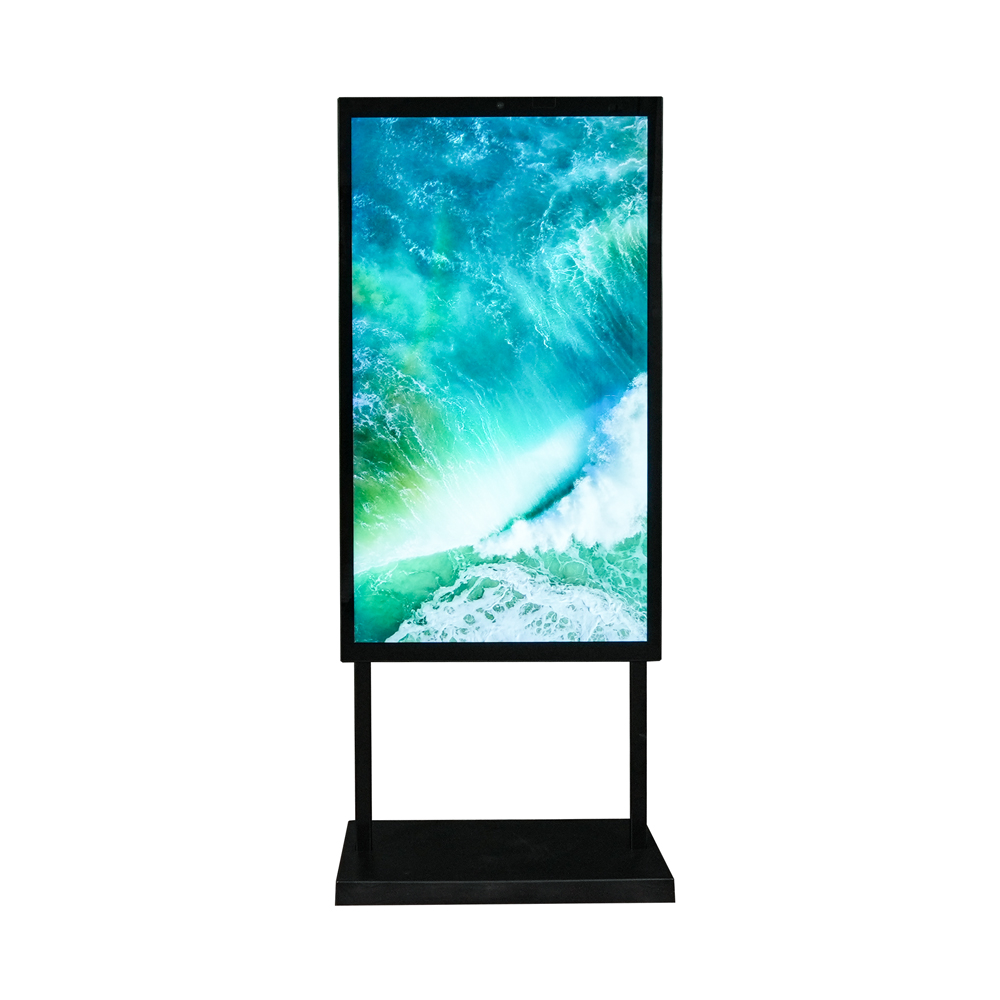
Free-standing 43-inch point-of-purchase format: slim body, tempered-glass front, base included.
For an integrator, three consequences follow from that construction:
- Footprint and traffic flow. The 40 mm body depth is deliberately slim so the unit can stand at an aisle end or beside a fixture without obstructing circulation. Plan the base footprint and any cable run before finalising merchandising positions.
- Surface cleaning and public exposure. Tempered glass front means the display face can be wiped down between trading sessions, which matters in food-adjacent and high-contact areas.
- No VESA option on this model. The specification lists VESA mounting as not applicable — this is a floor-standing unit with its base included. Do not budget for wall brackets on this SKU; use the wall-mounted digital signage displays where a screen has to sit flush to a surface.
Environment, Power And The Battery Option
| Parameter | Specified value | What to check on site |
|---|---|---|
| Operating temperature | 0 °C to 40 °C | Indoor only. Verify air conditioning covers the kiosk position, especially near entrances and glazing. |
| Storage temperature | -20 °C to 60 °C | Governs transit and warehouse staging, not operation. |
| Operating humidity | 20% to 80% | Avoid placement beside misting systems, produce sprayers or open chiller lines. |
| Power supply | DC 13.5 V, 50/60 Hz | Confirm the outlet and cable route reach the chosen position; the included power cable length needs checking against your layout. |
| Power consumption | 45 W | Use for circuit loading across a multi-unit rollout. |
| Rechargeable lithium-ion battery | Optional | Quoted runtime is 8+ hours — the enabler for exhibitions and short-term placements without a nearby outlet. |
| MTBF | ≥50000 h | Reliability figure from the manufacturer's specification; keep it in the project documentation as a quoted value. |
The battery option changes what a deployment can look like. A convention stand, a temporary promotional island in a mall atrium, or a pop-up store with no permitted wiring all become feasible without an electrician's work. The trade-off is runtime: plan content duration and standby behaviour around the quoted operating window rather than assuming an all-day unattended cycle.
Connectivity on board covers WiFi, Bluetooth and a wired WAN line via RJ45, with 3G/4G listed as optional. I/O is TF card, RJ45, DC jack, WiFi antenna and two USB host ports. For rollout planning that means: wired network where content management requires it, USB for offline updates where it does not, and a clear decision on cellular before ordering if the site has no reliable fixed line.
Double-Sided Configuration
A double-sided option is listed for this product family: one base, one power position, two audiences. On an aisle that carries foot traffic in both directions, or at a junction where shoppers pass on either side, the second panel turns dead space into sellable screen time. Confirm the double-sided variant and its dimensions for your order; specify it only where sightlines exist on both faces, otherwise you are paying for a panel nobody sees.
OEM, Compliance And Procurement Terms
Regulatory declarations listed for this model are UL and FCC (US), CE (Europe) and CCC (China). For a distributor or brand-owner rollout, confirm the certification scope relevant to your market against the current shipment rather than relying on the published list alone.
The documented procurement terms give you a realistic planning baseline:
- Logo and finish. Silk-screened logo on the case is offered, with a stated MOQ of 200 pieces at no additional charge. Branding that goes beyond this — colour-matched housings, custom decoration — falls under OEM and ODM display manufacturing, where you supply high-resolution artwork and confirm finished files before production.
- Lead time. Mass orders are quoted at 7–10 days depending on quantity; samples at one day from stock and 7–10 days for a custom design. Use these figures to work backwards from a store-opening date.
- Warranty. One year from purchase, excluding human damage and force majeure, with the documented condition that units run no more than 16 hours daily under normal circumstances. If your rollout requires extended trading hours or continuous operation, raise it at quotation stage rather than discovering it in a warranty claim.
- Inspection. Testing runs from incoming material through finished goods across QA, QC and sales functions, and third-party inspection by an agency you appoint is accepted. For multi-unit orders, name your inspector early so the hold point sits inside the 7–10 day window.
Pre-Order Specification Checklist
- Site light levels at the exact kiosk position, measured at the busiest trading hour — not a general impression of the store.
- Ambient temperature and humidity at that position across all seasons, against the 0–40 °C / 20–80% envelope.
- Network route: wired RJ45, WiFi coverage strength, or cellular option.
- Content workflow: USB updates versus network-managed playback, and who performs updates after handover.
- Battery required or not, with content duration planned against the quoted runtime.
- Single-sided or double-sided, decided from actual sightlines on site.
- Android firmware build confirmed on the sample unit, recorded in the project spec.
- Quantity, branding scope and target delivery date, so MOQ and lead time align with the store programme.
Specifying With The Manufacturer
Because ZCDISPLAY operates as a commercial display manufacturer in Shenzhen rather than a reseller, project-specific changes — enclosure finish, branding, connectivity options, battery inclusion — go to the same engineering team that builds the standard product. That shortens the loop between a specification question and a confirmed answer, which is where most kiosk projects lose time.
